05 AI · Tools · Standards · Self-directed

Defining how
AI writes

I was fixing the same mistakes in Figma over and over. Answering the same standards questions on repeat. Running office hours that spent too much time on setup and not enough on the hard stuff. So I built tools to solve all three — before anyone asked me to. This is what it looks like when a content designer decides AI is their problem to solve.

3
Self-directed AI initiatives
0
Assignments required
1st
Content designer to run AI office hours in the org
Adopted
In AI-first sprint planning
Live
AI-assisted OH pilot running now

The same mistakes.
Over and over.

As the sole content designer on a wrist wearable with 10+ PMs and multiple feature teams, I was a bottleneck. Not because I was slow — because the same foundational issues kept coming back. am/pm instead of AM/PM. Date formats that didn't match standards. Terminology that had been decided and documented but not found. Questions I'd answered in office hours three weeks ago.

I could keep answering the same questions. Or I could build something that answered them for me.

At the same time, the industry was asking whether AI would replace content designers. I wasn't worried about that question. I was more interested in a different one: who's going to define how AI writes?

The reframe
AI doesn't replace content judgment. It amplifies it — or degrades it, if no one with that judgment is in the loop. I put myself in the loop before anyone asked.
The through-line
Every initiative here was built to solve a real, specific problem I was experiencing. Not because AI was trending. Because the work demanded it.

A self-serve tool that
catches mistakes before they reach me.

Engineers and PMs were writing Figma copy without content design review — which is fine, until it isn't. The same issues kept surfacing: wrong time format, wrong device name, passive voice in errors, directional language that breaks screen readers. All things that were documented in the standards. All things that shouldn't need a content designer to catch.

I built the Wrist Wearable Content Checker: a prompt-based audit tool that anyone could run before requesting content design review. You paste your UI copy, specify the surface type, and the agent returns PASS, FLAG, or ESCALATE verdicts — with the rule violated, the issue, and a suggested fix. Severity-tiered. Grouped by HIGH, MEDIUM, LOW.

The escalation path was intentional: if the checker says ESCALATE, it found a new pattern not covered by existing standards. That's a signal to me, not a blocker for the team.
The problem it solved
Content design review was being used for foundational hygiene that shouldn't require a human. The checker moved those catches earlier and async — so live content design time could be spent on judgment, not formatting.
Built on top of existing governance
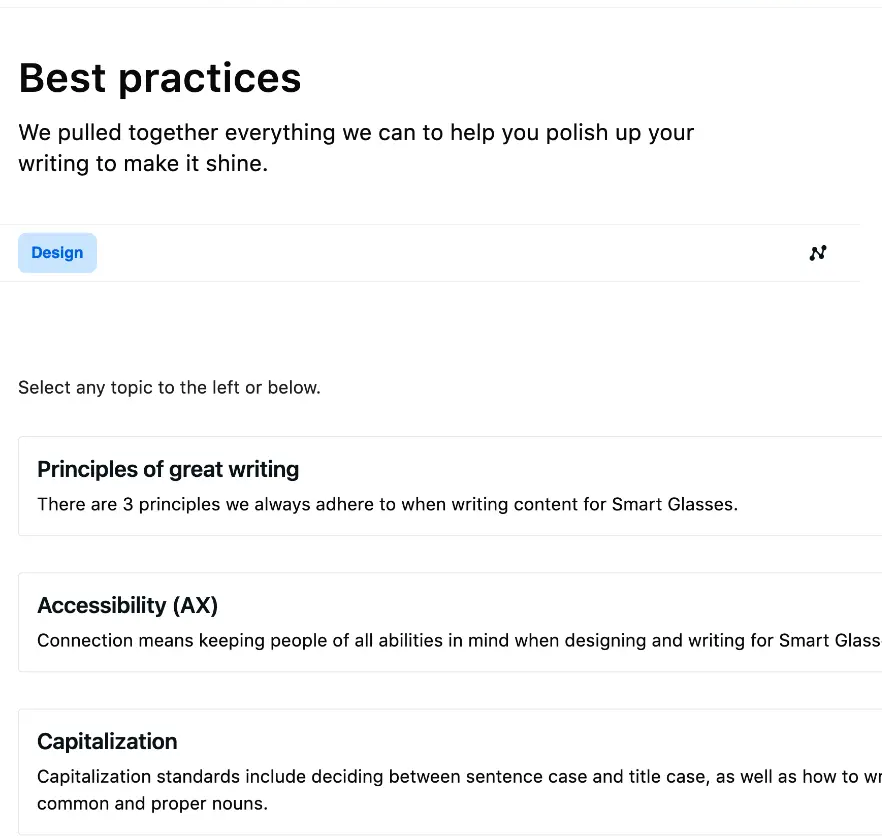
The checker is grounded in three sources: the Wearables Content Design Standards I authored, Caroline Sukovich's error pattern library, and the wrist wearable terminology glossary. It's not a standalone tool — it's the governance system made executable.
Wearables Content Design Standards hub showing navigation categories: Principles, Accessibility, Capitalization, Grammar, i18n, Privacy, Punctuation, and more. Contributors section shows Ashlee Phillips as author.
Wearables Content Design Standards hub — the governance system the checker is built on. Internal tool, Meta.
The document — Wrist Wearable Content Checker prompt
A self-serve tool for checking Figma content against wrist wearable standards before requesting content design review.
Role You are a Content Design auditor for Meta Watch, a smartwatch product. You have deep expertise in writing for small-screen wearable devices and understand the constraints of glanceable, on-wrist experiences. Your job is to check submitted content against established wrist wearable content standards and flag any issues. Task Review the following content and check it against the rules below. For each piece of content, provide one of three verdicts: PASS — Content follows all standards. No action needed. FLAG — Content has one or more issues. Provide the rule violated, the issue, and a suggested fix. ESCALATE — Content introduces a new pattern, terminology, or approach not covered by existing standards. Recommend content design review before proceeding. Only output items that are FLAG or ESCALATE. Skip items that PASS. Standards (abridged) Terminology: Use "watch" for the wrist device. Use "Meta devices" when referring to both glasses and watch together. Feature names must be consistent across surfaces. Dates & times: 12-hour format for US English — 2 PM or 2:30 PM (not 2:00 PM). Uppercase AM/PM with a space. Omit ":00" when on the hour. Abbreviated dates: Mon, Sep 16. Tone: Active voice. Direct and specific. Contractions are fine. No "Oops!" or "Uh oh!" in errors. Errors: Header = what happened. Body = why + what to do. Button = clear action. Never blame the user. Accessibility: No directional language ("tap below"). Every interactive element must have an accessibility label. Output format For each flagged item: Content · Surface · Verdict · Rule · Severity (HIGH / MEDIUM / LOW) · Issue · Suggested fix. Group by severity. Provide a summary count at the end. If unsure, default to ESCALATE. Better to surface it than miss it. Escalation path If the checker says ESCALATE — bring it to Wearables Verticals content design office hours or reach out to Ashlee Phillips. P0 surfaces (out-of-box experience, permissions, errors, health/safety, naming decisions) always get content design review.

An agent that knows
everything I know.

The content checker was for catching issues in existing UI copy. But there was a second, related problem: people kept asking me the same standards questions. "How should we write time and date?" "What's the right device name on this surface?" "Can we use contractions in error messages?"

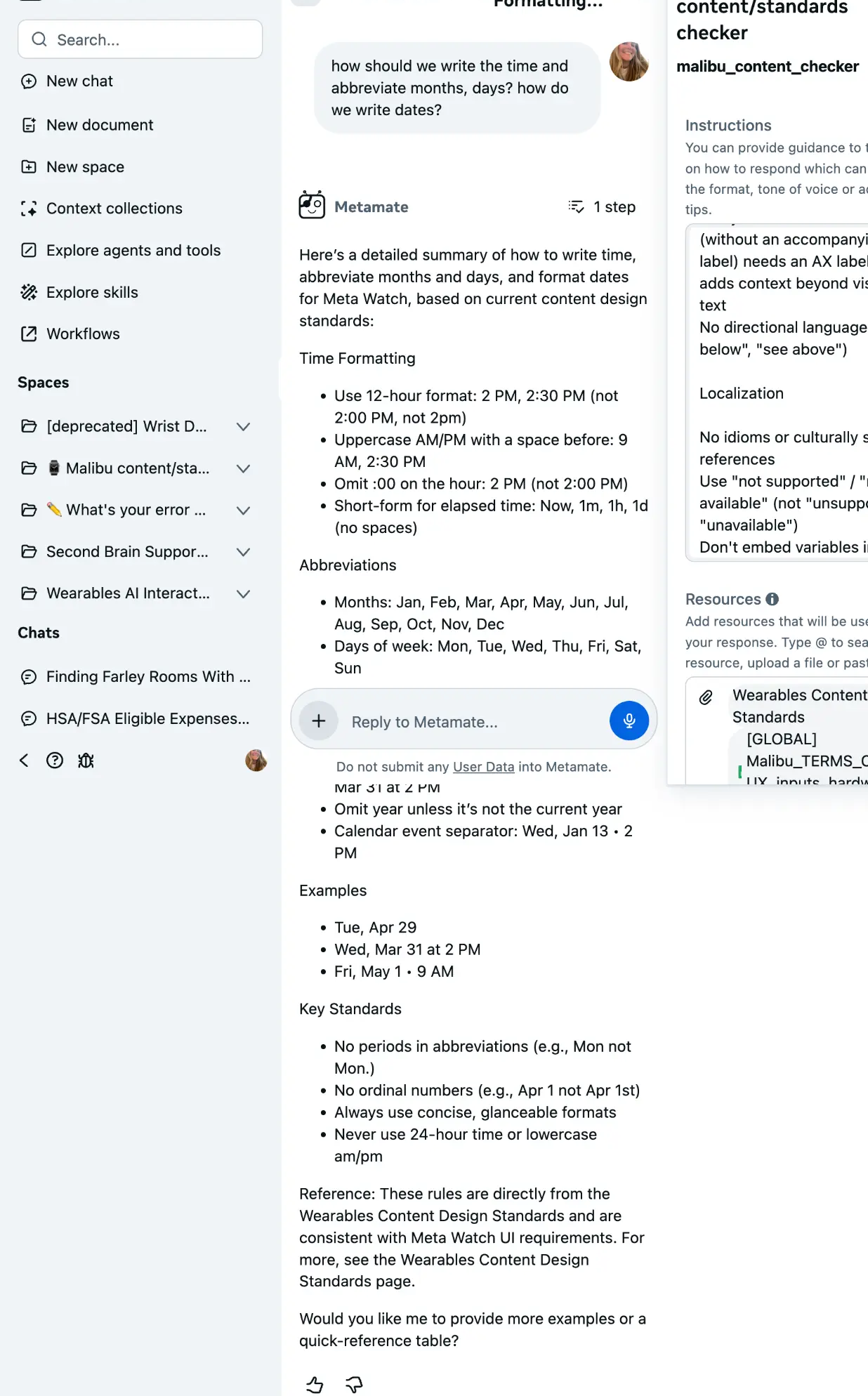
I built a custom Metamate agent — Meta's internal AI platform — trained on the Wearables Content Design Standards, the wrist wearable terminology glossary, and error patterns. The agent could answer standards questions, generate first-draft UI copy, and flag potential issues. It was connected directly to the standards documents, so answers were grounded in the actual governance, not in the model's general knowledge.

The result: a standards resource that was available 24/7, answered in seconds, and never gave a different answer depending on who asked.
What it replaced
Repeat DMs. Repeat office hours questions. Repeat Slack threads that ended with "let me check the standards doc." The agent didn't replace content design judgment — it replaced content design lookup.
The escalation path
If the agent found a new pattern not covered by standards, it was configured to recommend content design review — "raise for content design review with Ashlee Phillips." The agent knew its own limits.
Metamate AI agent answering a question about date and time formatting for Meta Watch. The agent provides a structured, standards-grounded response with specific formatting rules. The right panel shows the agent name 'Wrist Wearable content/standards checker' and linked resources including Wearables Content Standards.
Wrist Wearable content/standards checker — Metamate agent answering a date/time formatting question. Internal tool, Meta.

Office hours that
actually scale.

content design office hours are high-value but high-overhead. Too much time spent on context-building. Too many repeat questions. Too much live time spent on baseline hygiene instead of the hard judgment calls that actually need a human.

I designed an AI-assisted office hours workflow — and built the tool to run it. The system has three moments: an AI-generated pre-read brief before each session (so content designers show up with context, not cold), AI-structured notes and pattern capture after each session (so institutional knowledge doesn't evaporate), and a feedback loop to identify where standards need updating.

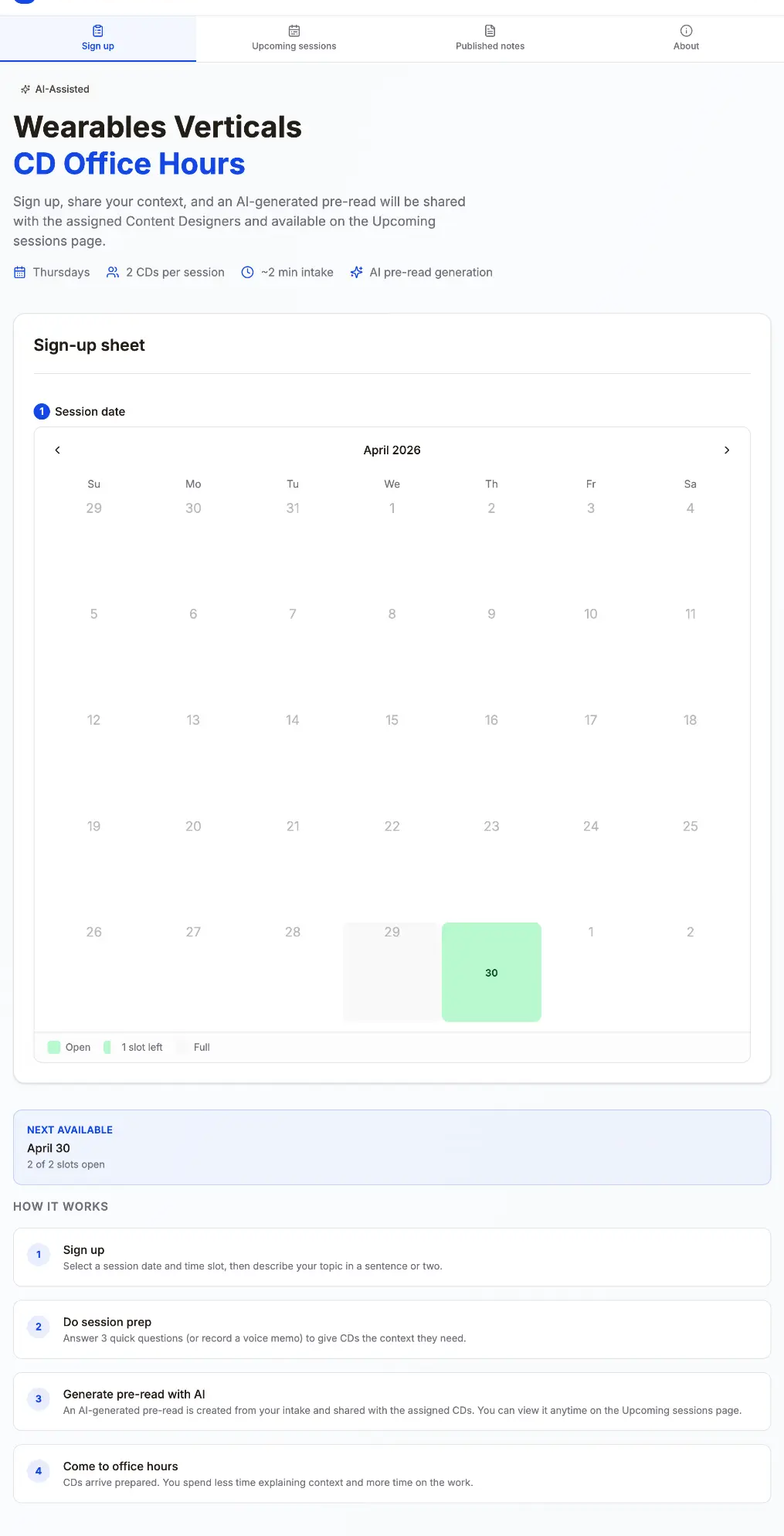
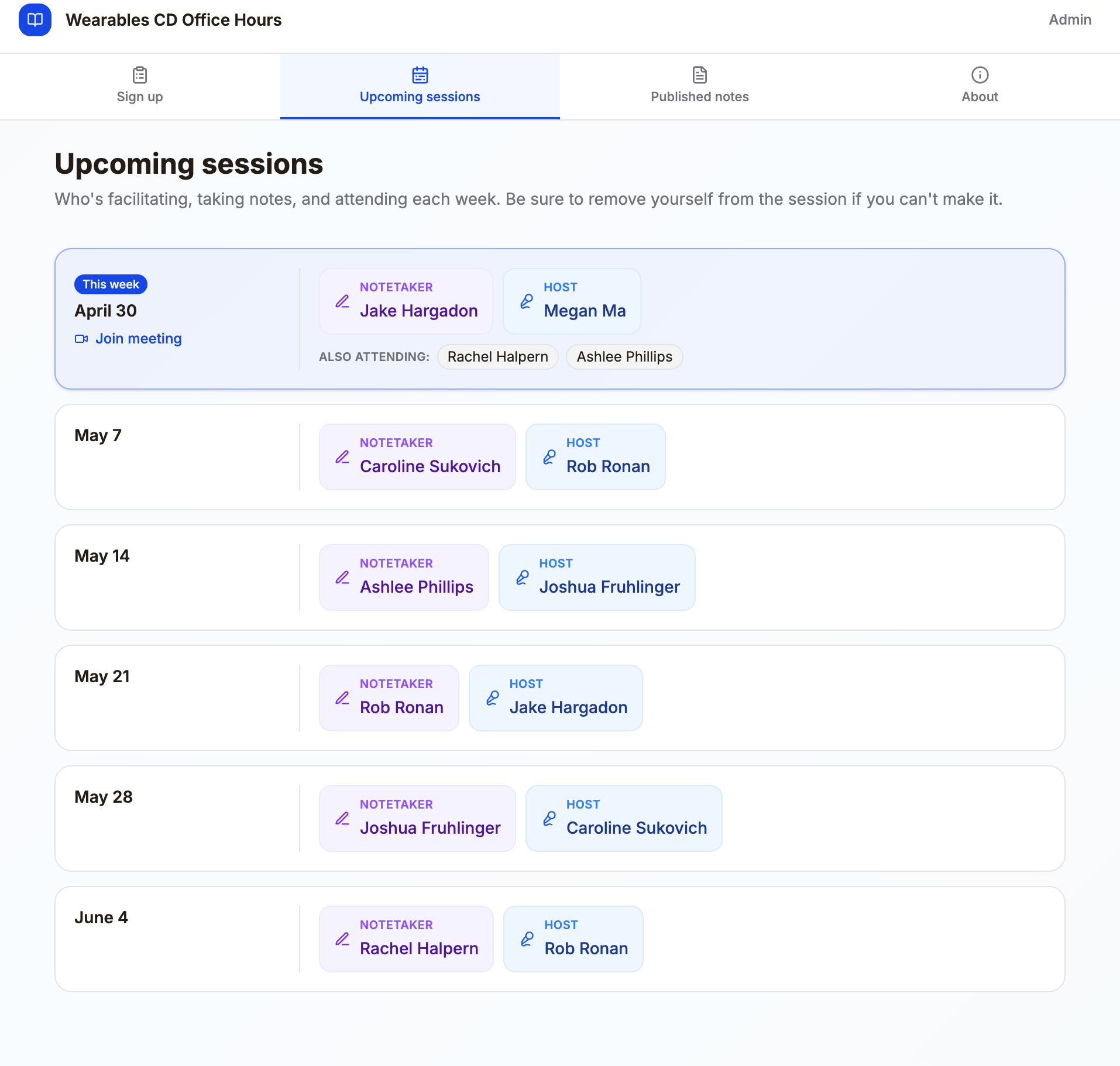
I built the tool itself using Manus — a website that handles sign-ups, intake forms, pre-read generation, and session management. We're piloting it now. The feedback questions are already written. If AI isn't making it better, we stop using it.
The design principle
The goal is not to automate office hours. It's to make live sessions higher-signal — so the time content designers spend in the room is spent on judgment, not setup.
The pilot is live
Running now with Wearables Verticals content designers and cross-functional partners. Structured feedback questions go out after every session. If the data says it's not working, we change it.
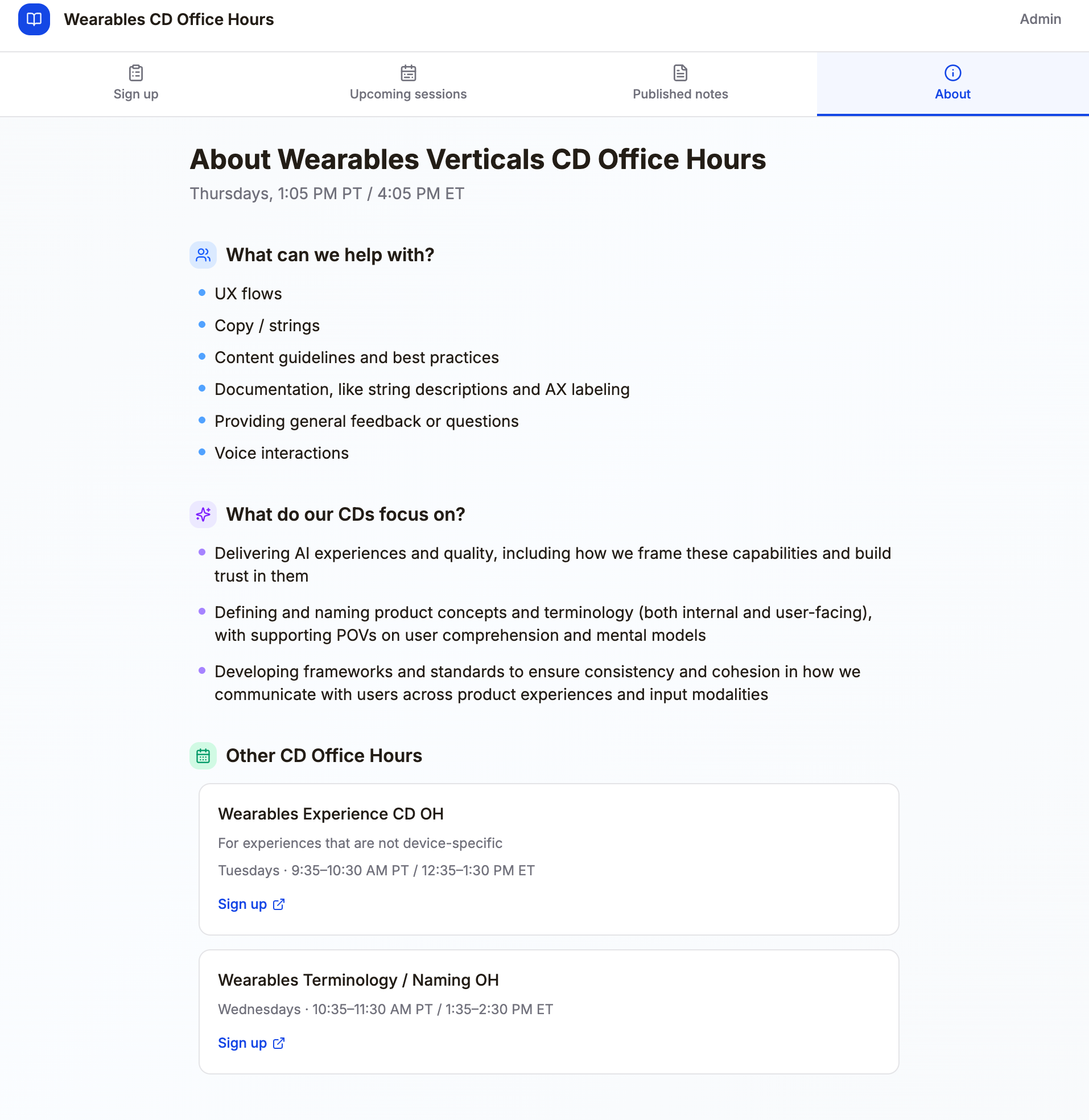
Wearables Verticals Content Design Office Hours website homepage showing the sign-up interface and session overview.
Homepage — session overview and sign-up
Office hours session management view showing upcoming sessions, assigned CDs, and partner sign-ups.
Session management — upcoming OH schedule
AI-assisted intake form for office hours sign-up, collecting session goal, core question, and optional links to generate a pre-read brief.
Intake form — AI-generated pre-read brief

Not "AI is coming."
AI is here. I went first.

The companies cutting content designers because of AI are making a category error. They're confusing "AI can generate text" with "AI has content judgment." It doesn't. AI can produce UI copy at scale. It cannot decide which UI copy are appropriate for a user who just got a health alert, or how to communicate uncertainty without eroding trust, or when silence is more respectful than a notification.

That judgment is what content designers bring. My job isn't to compete with AI — it's to be the person who decides how AI writes, what it says, and when it should say nothing at all.

The same instinct that led me to build the accessibility practice before EAA was a concern led me to build these tools before AI-first products were on the roadmap. I don't wait for the problem to be assigned. I see it coming and I build something.

What this proved
"The content designers who will thrive in the AI era aren't the ones who resist it or defer to it. They're the ones who define how it works — before anyone asks them to."
3
Self-directed AI initiatives
Adopted
In AI-first sprint planning
Live
OH pilot running with active feedback loop